

When a customer needs you
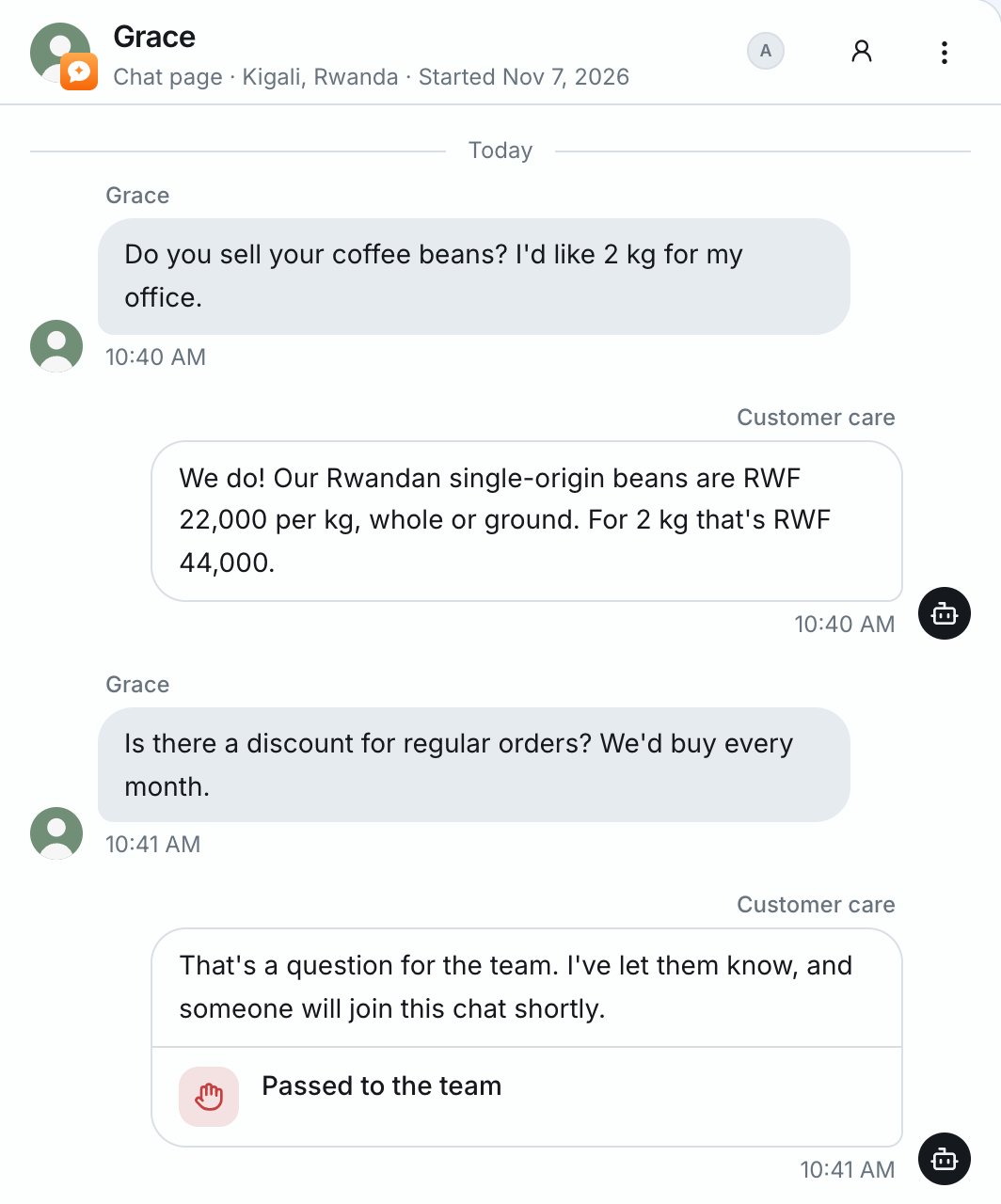
Some chats need a person. A customer may ask for one, or want something only you can do, such as a booking, an order, a quote or a call back. When that happens, your assistant:- Asks the customer for the details you need.
- Passes the chat to your team with a short summary.
- Tells you about it.
Step in any time
You can answer any chat yourself. Press Take over, or start typing a reply, and the assistant steps back. The first time you step in, the assistant writes the start of your message for you. This way the customer doesn’t have to explain again. Change it or finish it, then send it. When you’re done, hand the chat back. If you don’t, the assistant picks it up again by itself after a while. You choose how long it waits: 30 minutes, 2 hours (the default), 8 hours, 1 day, or never. See Handing conversations back.Handing conversations back
While someone on your team handles a conversation, the assistant stays quiet. This way you don’t both answer at once. When you’re done, press Hand back to AI. The assistant answers the customer’s next message. If you forget, the assistant can take the conversation back by itself:- Set how long it waits under Configure → When someone takes over → Give it back after.
- If the person who took over says nothing for that long, and the customer writes again, the assistant answers.
- The customer sees “Our assistant is back”.
- The inbox shows how long your team was quiet.
Turn the AI off for someone
You can stop the assistant from answering one conversation, or one customer everywhere.- For one conversation: open the conversation’s ⋮ menu and turn off AI replies.
- For one customer everywhere: use the same ⋮ menu, or the customer’s ⋯ menu on the Customers page.